

Documentation » Connect ChatGPT
Connect ChatGPT
Connect Kafkai to ChatGPT as a custom plugin — ChatGPT's name for an MCP server that you add yourself. The server URL is:
https://kafkai.com/mcp
You need a ChatGPT plan that allows custom plugins. You must also turn on developer mode. OpenAI moves these menus from time to time — if the steps below do not match what you see, search ChatGPT's settings for "developer mode" or "plugins".
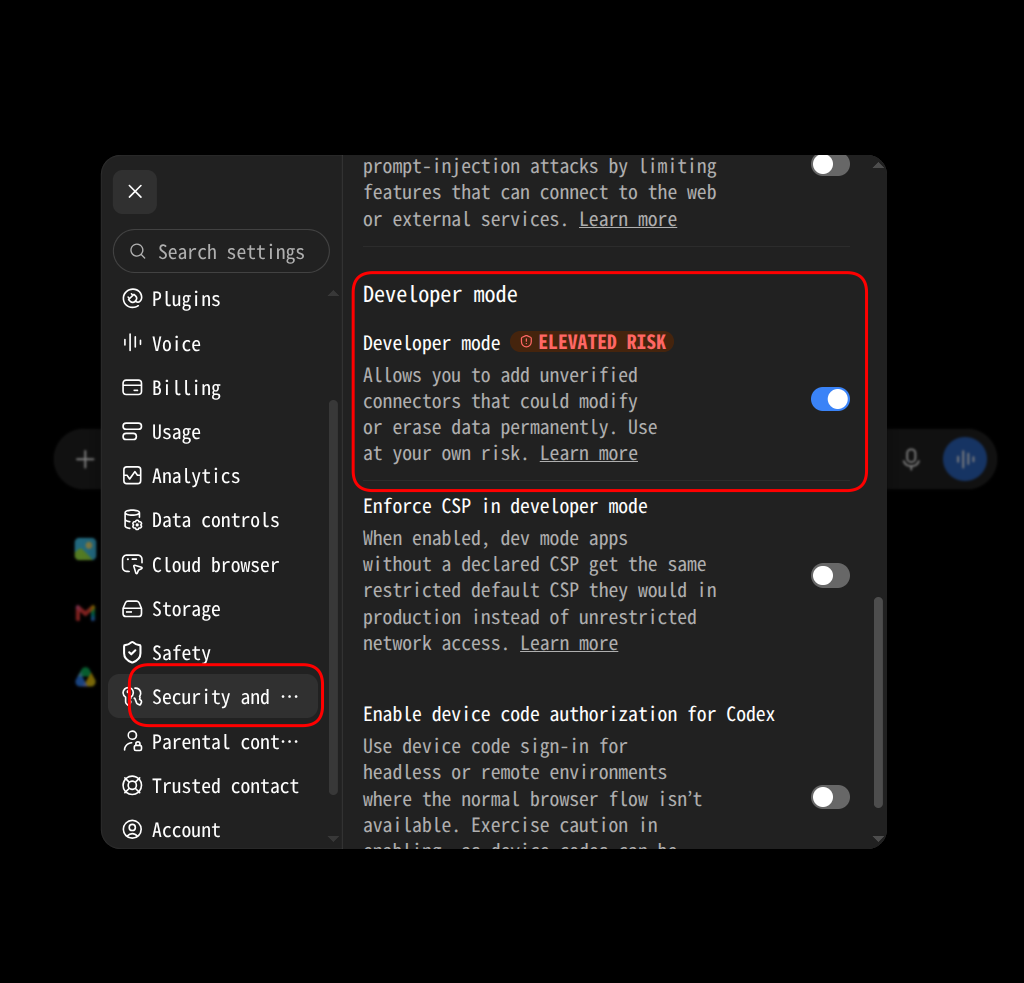
1. Turn on developer mode
- Open Settings, then the Security section.
- Turn on Developer mode.
ChatGPT marks developer mode as elevated risk because it lets you add plugins that OpenAI has not reviewed. Kafkai is one of those. Every tool it exposes is listed in the Tool Reference, and none of them can reach anything outside your Kafkai account.
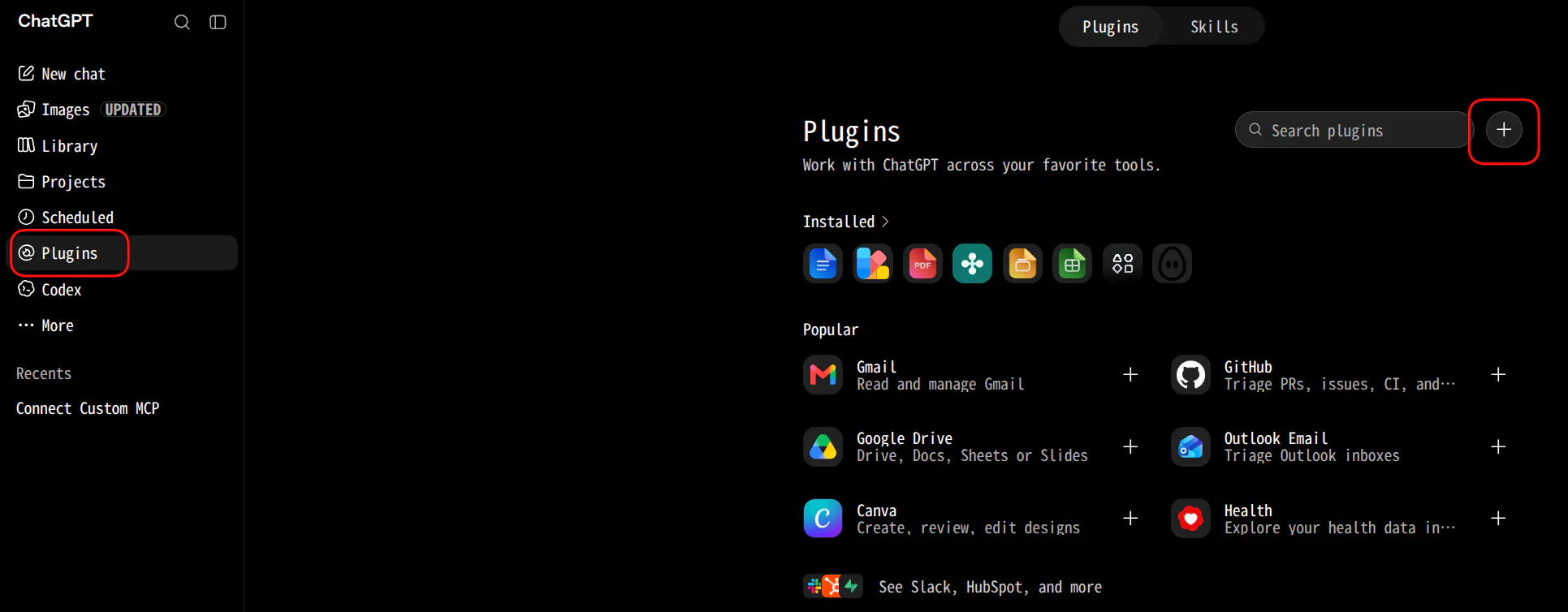
2. Add a new plugin
- In the sidebar, choose Plugins.
- Choose the + button next to the search box.
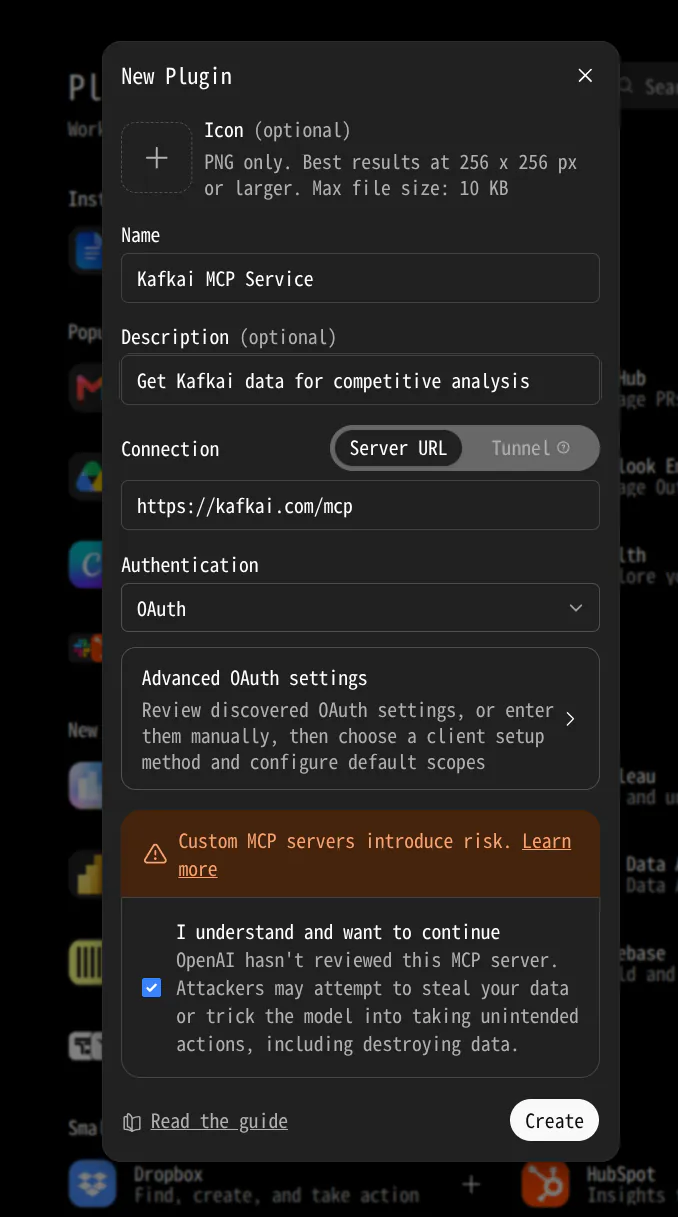
3. Fill in the plugin form
- Name:
Kafkai MCP Service, or any name you like. It is shown in your plugin list. - Description: optional.
- Connection: keep Server URL selected and enter
https://kafkai.com/mcp. - Authentication: OAuth. Leave Advanced OAuth settings as they are — ChatGPT registers itself with the Kafkai server, so there is no client ID or secret to copy.
- Select the I understand and want to continue checkbox, then choose Create.
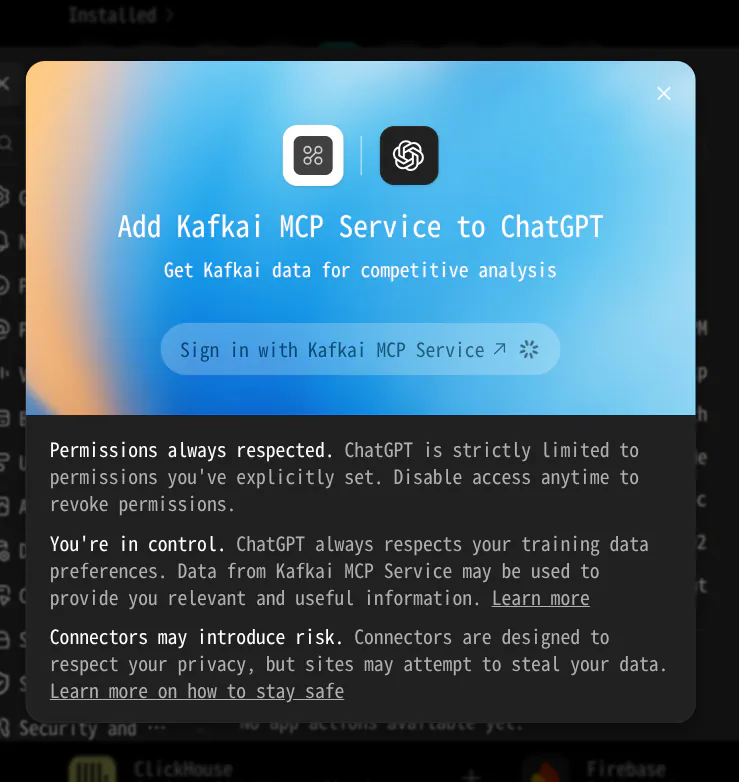
4. Sign in to Kafkai
ChatGPT shows Add Kafkai MCP Service to ChatGPT (the button carries the name you gave the plugin). Choose Sign in with Kafkai MCP Service.
A Kafkai page opens in a new tab. Sign in with your Kafkai account, then choose Allow on the authorization page.
Use the plugin in a chat
In a new conversation, enable the Kafkai plugin from the tools menu, then ask:
List my Kafkai projects.
If the connection works, ChatGPT calls kafkai_list_projects and shows your
projects. From there, the prompts in Getting Started
and on the Example Prompts page apply as-is.
Keep your data out of model training
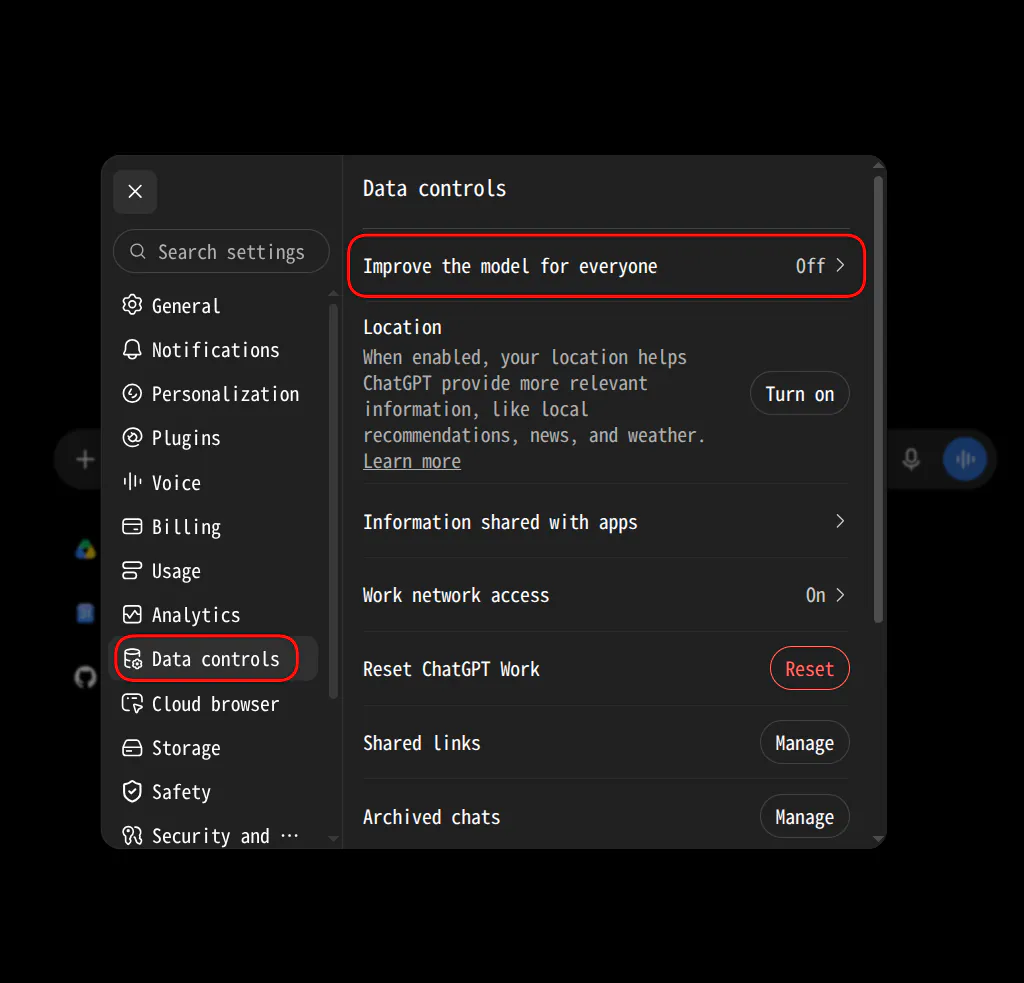
Everything ChatGPT reads from Kafkai — your keywords, competitors, and rankings — falls under ChatGPT's training setting. To keep that data out of model training, open Settings, then Data controls, and set Improve the model for everyone to Off.
Use a static API token
Some ChatGPT setups only allow plugins with header authentication. In that case, create a static API token and follow Connect Hermes and Other Clients — the token works the same way in ChatGPT's plugin form.
Disconnect Kafkai
Open Plugins, open Kafkai under Installed, and remove it. Access tokens are short-lived, so a removed plugin stops working on its own shortly after. To revoke the access from Kafkai's side, contact support.