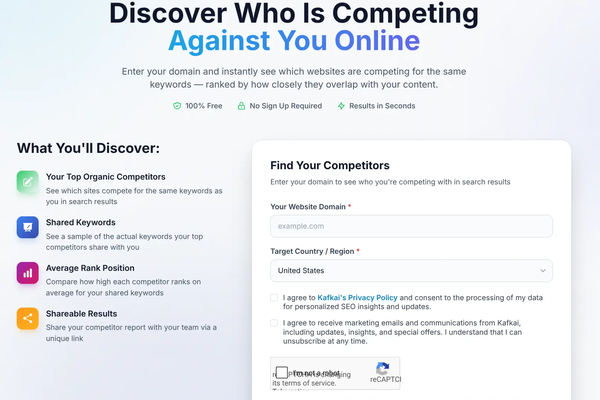


On 25 September 2026 we released mcpnavi.jp, a directory of MCP servers for AI agents. Three days later, on 28 September, we released Kafkai Ver.4. That timing was not an accident.
Kafkai Ver.4 is MCP only. There is no dashboard any more. Your AI agent connects to Kafkai and asks it for the data. Every customer I showed Ver.4 to in September needed MCP explained before anything else. After the explanation, most of them understood it quickly. What they did not have was a way to see what else they could connect to.
mcpnavi.jp is that way.
What mcpnavi.jp Is
MCP, the Model Context Protocol, is a plugin standard for AI agents. You add an MCP server to ChatGPT, Claude or another agent, and the agent can read data or use a tool it could not reach before. If you want a slightly more technical explanation, I wrote Introduction to MCP on the mcpnavi blog.
mcpnavi.jp collects these servers in one place. At launch it lists 242 MCP servers in 22 categories. 135 of them have Japanese support. The site is in Japanese and English.
Each listing answers the questions you would ask before connecting anything.
- Who runs it. A company, an individual developer, an open source project, or a government body. If the provider is a Japanese company, the listing says so and links to where we confirmed it.
- How to connect. "Connect by URL" means a remote server you add to your agent with one address. "Run it yourself" means you install it on your own machine. The listing also shows the transport (stdio or Streamable HTTP) and whether HTTPS is required.
- How you log in. OAuth 2.1, an API key, or nothing.
- What it costs. The pricing model and whether there is a free tier.
- Whether it speaks Japanese. Two separate fields: Japanese documentation, and Japanese support.
- What it can do. Where our crawler can connect, the listing shows the actual tools the server returns.
- When we last checked. Every listing has a date.
We write "Unknown" when we do not know. We do not guess. A field marked "Unknown" means the provider has not published that information where we can find it, and you should ask them before relying on it. The listing criteria explain where each field comes from and what a listing does not guarantee.
Why the Focus on Japan
There are other MCP directories. Almost all of them are in English, and almost all of them list what is popular in the United States. That is fine if your work runs on GitHub, Slack and Notion. It is less helpful if your work runs on kintone, Chatwork, freee and e-Gov.
So mcpnavi.jp deliberately focuses on Japanese services. A few examples from the directory:
- Government data. The Digital Agency's official J-Grants MCP Server searches government subsidies. Others read e-Stat statistics, laws from e-Gov, EDINET filings and the corporate number database.
- Japanese business software. freee, kintone, Chatwork, Backlog, SmartHR, Sansan and LINE.
- Marketing and SEO. Kafkai MCP is here too. We run the site, so it would be strange if it were not.
The Japanese documentation field matters more than it looks. For many people here, a tool without Japanese instructions is a tool they will not try, and I do not blame them. The listing tells you before you spend an afternoon opening GitHub pages.
Why We Built It
I will say it plainly. Japan is slow to open its data.
The knowledge is there. Japanese companies hold years of product data, industry know-how and customer insight. Most of it stays inside the company, in shared drives and in the heads of the people who have been there longest. Very little of it is reachable by an AI agent.
That limits what an agent can do here. My argument goes like this:
- An AI agent on its own knows what it learned in training and what it can find on the public web.
- Each MCP server gives the agent one more source of real data or one more tool.
- So the more data there is behind MCP servers, the more useful the agent becomes. This holds for every user, not only for engineers.
- For work done in Japan, much of the data that matters is Japanese. If that data is not behind an MCP server, agents stay weak at Japanese work, however good the model is.
- And people adopt AI agents when the agents are useful to them, not when someone tells them to.
mcpnavi.jp cannot open anyone's data. What it can do is show what is already open, who runs it and how to use it. That lowers the effort for users, and it shows companies that are still deciding what other companies have already done.
If You Hold Data, Look at the Pricing Field
This is the part I most want business owners to see.
MCP is not only a way to give data away. It can also be a way to sell it. An agent calls your server, your server returns the data, and you charge for the call.
Kafkai Ver.4 works this way. There is no subscription and no base fee. One credit is one yen. The agent spends credits when it asks Kafkai for data, and if nobody asks in a given month the customer pays nothing. The pricing page shows what each call costs.
Now look at the pricing field across mcpnavi.jp. In the Marketing and SEO category, four of the five listings show pricing as "Unknown" today. That is not a criticism of those providers. It shows how early this market is. Few providers have published a price, which means there is still room for those who do.
If your company has data that people in your industry would pay to look up, ask three questions:
- Who would ask an AI agent a question that only your data can answer?
- How much would one answer be worth to them?
- Which listing on mcpnavi.jp is closest to what you would build?
The third question is why the directory is useful to you even before you build anything. Browse the listings in your category and see who runs them, how they connect and how they charge.
List Your MCP
If you run an MCP server, you can ask us to list it. The directory already includes companies, individual developers, open source projects and government bodies. If you have Japanese documentation, tell us, because the listing shows it.
Write to [email protected] with your server's name, repository or documentation link, and connection details. If a listing about your server is wrong or out of date, use the same address. Read the listing criteria first, so you know which fields we record.
Where to Start
- Open mcpnavi.jp and pick a category close to your work.
- Look for listings marked "Connect by URL". These are the easiest to add to ChatGPT or Claude.
- Check the Japanese documentation field and the pricing field before you connect anything.
If you want to understand MCP before you start, the mcpnavi blog has three technical articles: Introduction to MCP, remote and local MCP servers and the basics of MCP authorization.
Kafkai Ver.4 was us putting our own data behind MCP. mcpnavi.jp is us helping everyone else find theirs.
If you have questions about this post, write to [email protected].