
Help Articles
Ranking Performance Feature
Question 1: How do I access the Ranking Performance dashboard?
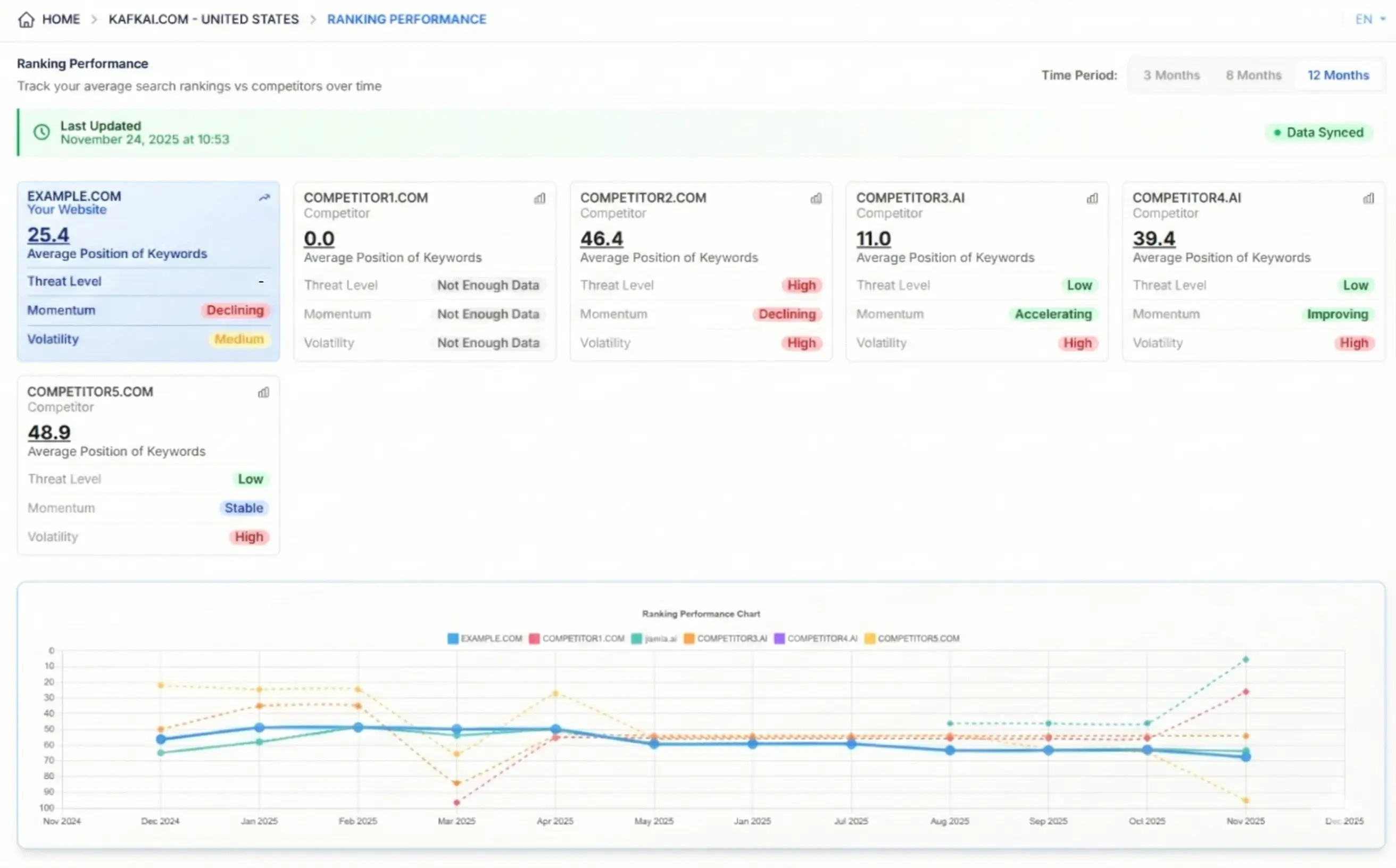
Answer 1: Navigate to your Kafkai dashboard, open a Project, and select "Ranking Performance" from the menu on the left. Your tracked keywords will automatically populate the dashboard. Ensure you're on a paid plan with active keyword tracking enabled.
Question 2: How often is ranking data updated, and why might my chart show gaps?
Answer 2: Data refreshes periodically. Refer to this FAQ: Does the keywords data for the Projects get updated regularly? on how often the ranking data is refreshed.
Question 3: What do the Threat Level, Momentum, and Volatility metrics actually measure?
Answer 3:
- Threat Level: Identifies competitors gaining positions near your rankings (red = high risk)
- Momentum: Tracks direction of movement (upward = gaining traction, downward = declining)
- Volatility: Measures ranking stability (high = algorithmic fluctuations, low = consistent performance)
Question 4: Can I customize the competitor list shown in the dashboard?
Answer 4: Yes! Competitors are pulled from your Project's competitor list. To modify them, go to your Project settings → "Competitors" → add/remove sites. Note: Removing competitors deletes their historical data, but does not affect your generated articles (see this guide for details).
Question 5: Why aren't my new articles showing immediate ranking improvements?
Answer 5: Search engines take time to index new content (typically 1-4 weeks). The dashboard shows historical trends - use the 3/6/12-month views to:
- Correlate content publishing dates with ranking shifts
- Identify long-term momentum patterns
- Spot algorithm updates (sudden volatility across all competitors)
For more information on this feature, refer to our Ranking Performance announcement.
Last updated -